
Schlagwort: ‘E-Mail’
Abschaltung der Umleitungen von E-Mails über die Selfservice-Funktion
Quelle: Eigene Darstellung
In diesem Beitrag informieren wir euch über die bevorstehende Abschaltung der automatischen Umleitungen von E-Mails über die Selfservice-Funktion. Wir geben einen kurzen Überblick über die Hintergründe der Abschaltung, einen Rückblick, was bereits umgesetzt wurde und informieren euch über den finalen Schritt der Funktionsabschaltung. Außerdem erfahrt ihr, wie ihr trotzdem weiterhin E-Mails von eurer RWTH-E-Mail-Adresse an eine andere E-Mail-Adresse weiterleiten könnt.
RWTH Aachen erreicht Meilenstein: 125.000 E-Mail-Postfächer!

Quelle: Eigene Darstellung
Zu Beginn des Jahres „2025“, das vor allem im mathematischen Sinne ein besonderes Jahr ist, denn 2025 ist die Quadratzahl der Summe von 1 bis 9, freuen wir uns, die Inbetriebnahme des 125.000sten RWTH-E-Mail-Postfachs verkünden zu können! In diesem Beitrag beleuchten wir die Entwicklung der RWTH-E-Mail-Postfächer und RWTH-E-Mail-Domänen in den letzten 10 Jahren.
Basics an der RWTH: E-Mail
Quelle: Freepik
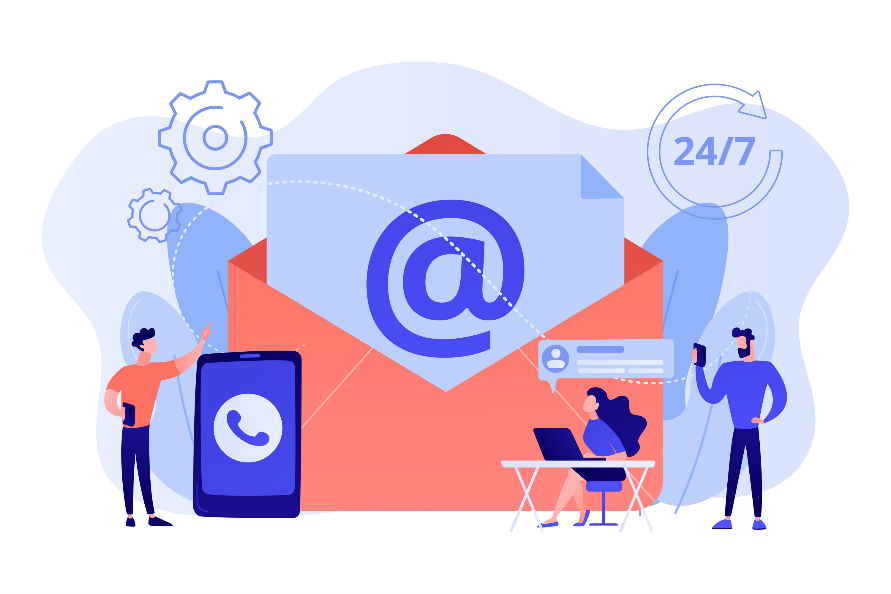
Im Rahmen unserer Blogreihe „Basics an der RWTH“ stellen wir euch heute den Service RWTH-E-Mail vor, der für eure tägliche Kommunikation im Uni-Alltag unerlässlich ist. Wir haben für euch die wichtigsten Informationen zusammengestellt, damit ihr – falls noch nicht geschehen – schnell und unkompliziert mit eurem E-Mail-Postfach starten könnt.
Sicherheit im E-Mail-Verkehr 3: LDAP-Adressbuch
Quelle: Freepik
Das LDAP-Adressbuch (LDAP = Lightweight Directory Access Protocol) ist eine Art Datenbank oder ein Verzeichnis, das eine E-Mail-Anwendung über einen vordefinierten Weg (Servernamen, Port, Zweig/Suchbasis) abfragt, um zum Beispiel das Nutzerzertifikat einer E-Mail-Adresse zu erfahren. Hat man ein solches LDAP-Adressbuch in der eigenen E-Mail-Anwendung eingebunden, dann können beispielsweise direkt verschlüsselte E-Mails versendet werden, vorausgesetzt die Empfänger*innen haben ihr Nutzerzertifikat im LDAP-Adressbuch veröffentlicht. Nicht jede E-Mail muss verschlüsselt versendet werden, jedoch man kann dies bei Wunsch und nach erfolgreicher Einrichtung gezielt auswählen. Lest mehr zu der Verschlüsselung von E-Mails in Teil 2 der Blogreihe.
Sicherheit im E-Mail-Verkehr 2: Verschlüsselung
Quelle: Freepik
Es kommt regelmäßig vor, dass Personendaten oder andere sensible Informationen wie temporäre Kennwörter, Bewerbungsunterlagen etc. schnell übermittelt werden müssen. Da fällt die Wahl oft auf den Austausch per E-Mail. Diese Daten sind jedoch gegen den unbefugten Zugriff von Dritten zu schützen. Um dennoch den Weg via E-Mail gehen zu können, müssen die E-Mails verschlüsselt werden. Wie das funktioniert, stellen wir euch zusammen mit weiteren relevanten Informationen zu dem Thema im folgenden Blogbeitrag vor. Geht zurück zum ersten Blogbeitrag in unserer Serie und lest auch mehr über digitale Signaturen.
Sicherheit im E-Mail-Verkehr 1: Digitales Signieren

Quelle: Freepik
Wusstet ihr, dass im Juni 2024 mehr als 80% aller eingehenden E-Mails an der RWTH Aachen von den E-Mail-Sicherheitsabwehrsystemen als verdächtigt identifiziert wurden? [1] Eventuell kommen euch nun Begriffe wie Phishing-E-Mails oder Spam-E-Mails in den Sinn.
Jede*r Empfänger*in einer E-Mail stellt sich irgendwann die Frage: Woher weiß ich, ob die Absendeadresse vertrauenswürdig und echt ist? Auf der anderen Seite fragt sich jede*r Absender*in irgendwann: Woher weiß ich, ob meine E-Mail nachweislich unverändert bei den Empfänger*innen angekommen ist? Eine Antwort darauf lautet: E-Mails immer digital signieren! Diesen Prozess möchten wir mit euch im folgenden Blogbeitrag näher beleuchten.
Hilfe, mein E-Mail-Passwort wurde kompromittiert!
Quelle: Freepik
In der digitalen Welt sind E-Mail-Konten ein zentraler Bestandteil unseres Lebens. Wenn dein E-Mail-Passwort kompromittiert wurde, kann das scherwiegende Folgen haben: Denn ein gehacktes E-Mail-Konto bietet Cyberkriminellen die Möglichkeit, in deinem Namen Phishing-Mails mit betrügerischen Links an deine Familienmitglieder, Freunde sowie deinem Adressatenkreis zu versenden.
In diesem Beitrag erfährst du, wie du deine Accounts und Geräte besser schützen kannst, um eine Kompromittierung zu verhindern.
Herzlich Willkommen im Sommersemester 2024!

Quelle: Freepik
Die Nächte werden kürzer und die Tage wieder lang – Zeit für einen neuen Semesteranfang!
In diesem Sinne heißen wir euch herzlich willkommen und wünschen euch ein erfolgreiches Sommersemester 2024!
Studieren ist in den letzten Jahren viel digitaler geworden. Das bedeutet, dass nicht nur aus Büchern, sondern auch viel am Laptop, Tablet und Smartphone gelernt wird. Seid ihr schon vernetzt?
E-Mail-Sicherheit – Wie du eine Weiterleitung richtig konfigurierst

Quelle: Freepik
In diesem Beitrag unserer E-Mail-Sicherheits-Reihe zeigen wir dir, wie du eine Weiterleitung von eingehenden E-Mails konfigurieren kannst. In unseren vorangegangenen Beiträgen haben wir dich über die Problematiken beim Mailversand, möglichen Sicherheitstücken und bereits implementierten Sicherheitsmechanismen informiert und erklärt, warum Umleitungen schlecht sind. In diesem Beitrag geht es um die Einrichtung einer Weiterleitung in der RWTH Mail App, auch bekannt als „OWA“ (Outlook Web App).
Herzlich willkommen zum Wintersemester 2023/2024!

Quelle: Freepik
Die Stadt füllt sich mit jungen Menschen, das Laub wird langsam bunt. Das kann nur eins heißen: Ein neues Wintersemester bricht an!
Wir heißen euch herzlich willkommen und wünschen euch ein erfolgreiches Wintersemester 2023/2024!
Studieren ist in den letzten Jahren viel digitaler geworden. Das bedeutet, dass nicht nur aus Büchern sondern auch viel am Laptop, Tablet und Smartphone gelernt wird. Seid ihr schon vernetzt?
Sprache:
Folgt uns