
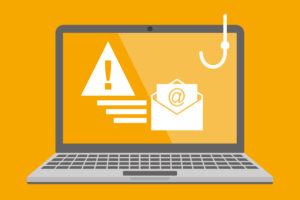
Source: Own illustration
In keeping with today’s Safer Internet Day on February 10, 2026, this article is all about digital security. Spam and phishing emails show how important it is to remain vigilant in everyday life and to critically question suspicious emails. With a little caution and the right knowledge, you can better protect yourself — and the IT infrastructure of RWTH Aachen University.
Every day, we receive emails that are not always legitimate or welcome. Two types of unwanted communication are particularly common: spam and phishing. Both can be annoying, but phishing in poses a serious threat to your data.
In this article, you will learn how spam and phishing differ and how you can reliably identify suspicious emails.
What is spam? – Annoying, but often harmless
Spam consists of unwanted messages that are sent out en masse and automatically. These are often crude advertisements or dubious offers. Most spam emails are more annoying than dangerous. Modern spam filters usually sort them out automatically. We also filter spam emails, but they are not deleted immediately; instead, they are marked with the subject line “SPAM.” Since such filters can sometimes make mistakes, you will still receive these emails in your inbox. However, you can filter them out yourself with an inbox rule if you wish.
Typical characteristics of spam
- Sent in bulk to many random recipients
- Contains advertising or enticing offers
- Appears impersonal, often with many errors
- Has no connection to you or RWTH
Example:
“Great offer! Today only! Click here now!”
Spam only becomes risky if links or attachments contain malware. If you don’t click on them, spam is usually harmless.
What is phishing? – Deception with dangerous intent
Phishing is deception with dangerous intent. Fraudsters attempt to obtain confidential data such as passwords, bank details, or login information for your RWTH account.
Unlike spam, phishing is not just annoying, it is a real danger. Phishing emails often look deceptively genuine. They pretend to be messages from trustworthy sources, such as parcel delivery companies, banks, or even RWTH.
Typical characteristics of phishing emails
- Urging you to act quickly
Messages create pressure, for example with phrases such as “Your account will be blocked!”
- Professional-looking but fake sender addresses
A trustworthy display name such as “IT Administration” or “RWTH Support” is often used, while the actual email address does not match (e.g., mirAdmin@fake-outlook.com). It is therefore always worth taking a close look at the sender address.
- Links to fake login pages
The linked websites look deceptively similar to real portals, but are used to steal access data.
- Attachments that may contain malware
Malware or malicious programs can be executed when opened.
- Partially personalized
This could be done by addressing you by name or referring to your institution.
Example:
“Your RWTH account has been deactivated for security reasons. Please log in again via the following link.”
The goal is clear: to steal your data.
How to protect yourself from spam and phishing
- Be careful with links and attachments
Only open them if you can clearly identify the message.
- Check the sender’s address
Phishing senders often look almost correct — it’s worth taking a closer look.
- Use official websites
Always log in to RWTH services directly via known URLs, not via links in emails.
- Keep your spam filter active
The RWTH mail service automatically filters out many spam emails.
- Report suspicious messages
If something seems strange, inform the IT Center. This way, other students and employees can also be warned in time.
Spam is usually just annoying. Phishing, on the other hand, is a serious threat – both to your personal data and to the IT security of RWTH.
Your contribution to greater IT security
Please report any suspicious cases to the IT Center: Forward the email in question as an attachment to both the IT-ServiceDesk and spam@access.ironport.com. By doing so, you will not only be protecting yourself, but also the IT infrastructure of RWTH Aachen University, and helping to improve our spam filters.
Would you like to learn more about spam, phishing, and IT security? Then feel free to check out our blog posts and our documentation portal IT Center Help. There you will find detailed information on how to identify such emails and how to deal with them correctly.
Responsible for the content of this article is Nicole Kaminski.









Leave a Reply