
Kategorie: ‘Studium & Lehre’
RWTHonline – Kein Hexenwerk!
Vorab ein paar Eckdaten: RWTHonline ist das Campus-Management-System (CMS) der RWTH Aachen für die Organisation von Studium und Lehre. Genau genommen ist es der Dreh- und Angelpunkt für eure Studienplanung und bündelt verschiedene Funktionalitäten in einer Anwendung. Unter dem Link online.rwth-aachen.de ist die Website zu erreichen und am besten legt ihr sie euch unter Favoriten oder als Lesezeichen ab. RWTHonline hilft euch bei den wichtigsten Geschäftsprozessen, die rund um den studentischen Werdegang von der Bewerbung bis zum Studienabschluss anstehen. Neben den rund 45.000 Studierenden nutzen auch 4.000 Beschäftigte der RWTH das System zur Organisation von Studium und Lehre.
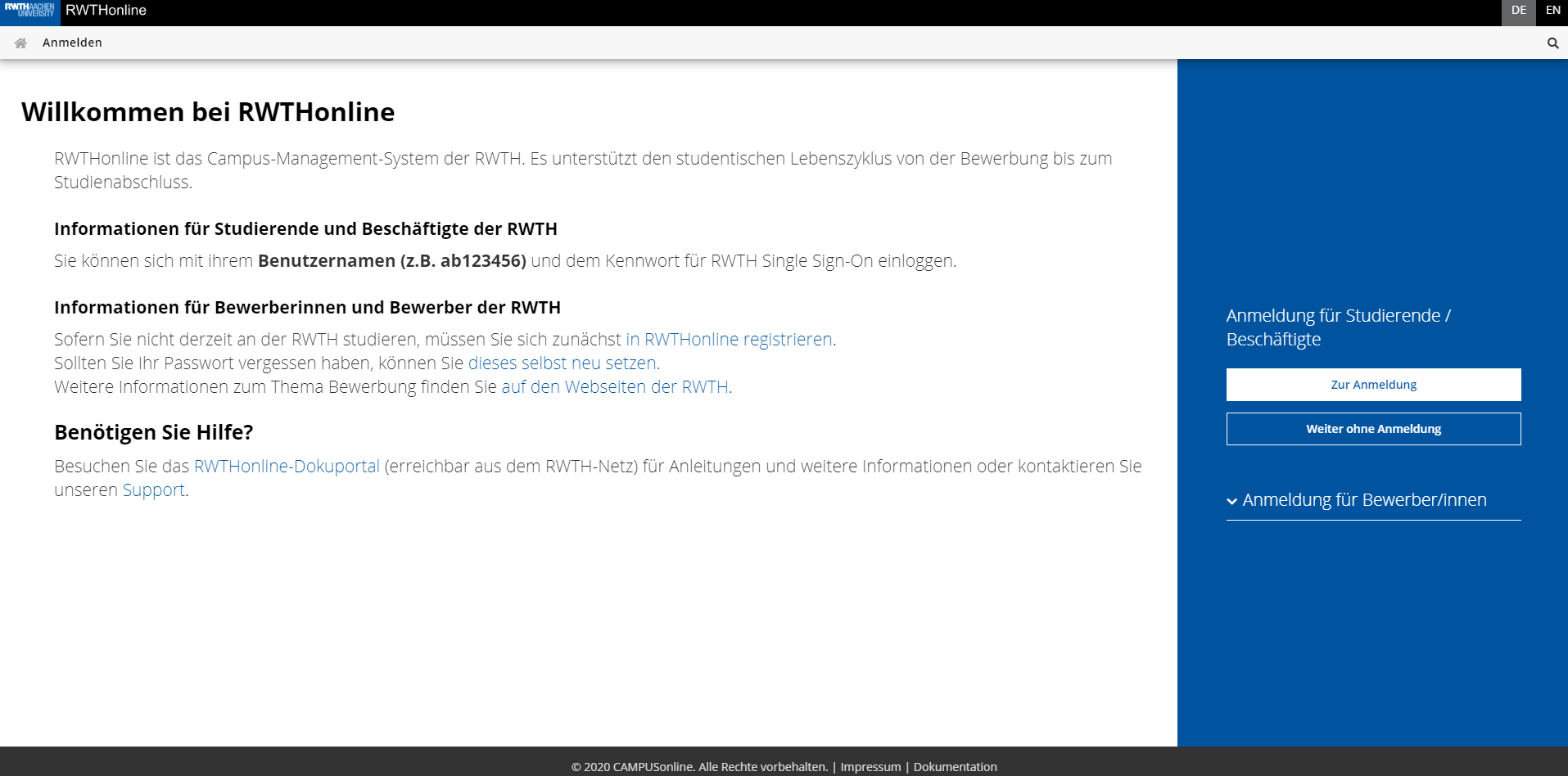
Die Willkommensseite von RWTHonline
Quelle: Eigene Darstellung
RWTHonline Umfrage 2020 – Eure Meinung zählt!
In dieser Woche ist unsere neue RWTHonline Umfrage 2020 für Studierende gestartet. Wir möchten von euch erfahren, wie ihr die Usability von RWTHonline und unseren Support für RWTHonline bewertet.
In der Vergangenheit gab es im Rahmen unserer Nutzerzufriedenheitsumfragen durchaus kritisches Feedback zu RWTHonline, das schon in die Verbesserung dieses Service einfließen konnte.
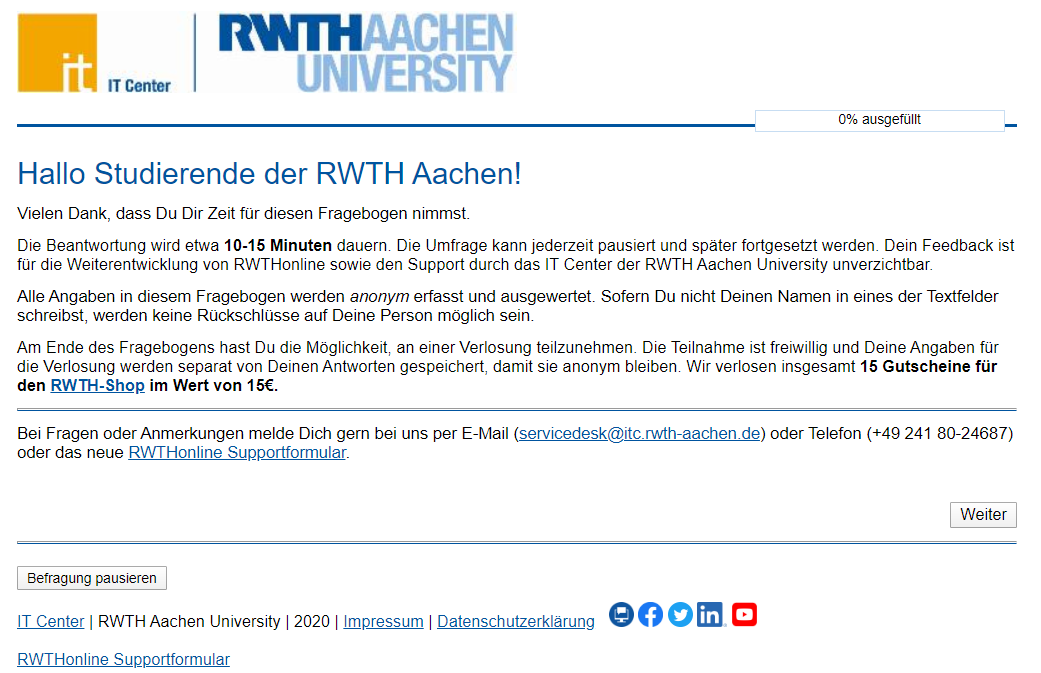
Danke für eure Teilnahme!
Quelle: Eigene Darstellung
Nice to know: sciebo
In unserem heutigen “Nice to know” Beitrag möchten wir euch einen weiteren besonderen Dienst vorstellen, den ihr als Angehörige der RWTH Aachen nutzen könnt: den Cloud-Dienst sciebo.
Sciebo – die Campuscloud
Sciebo ist ein kostenloser Cloud-Speicherdienst für Forschung, Studium und Lehre. Der Dienst ermöglicht die automatische Synchronisation von Daten auf verschiedenen Endgeräten. Ihr könnt dabei nicht nur eure Daten mit anderen Nutzern teilen, sondern auch gemeinsam an Dokumenten arbeiten. Jedem Nutzenden stehen 30 GB kostenloser Speicherplatz zur Verfügung. Für Forschungsprojekte werden Projektboxen mit bis zu 2 TB zur Verfügung gestellt. Mitarbeitende können die Quote von 30 GB sogar selbstständig auf 500 GB erhöhen.

Willkommen bei sciebo
Quelle: Sciebo
Altbewährter Link, neue Struktur – unsere RWTHmoodle-Dokumentation ist nun im IT Center Help!
Wie lege ich einen Lernraum an? Wer darf RWTHmoodle nutzen? Und wie lade ich eigentlich ein Video hoch?
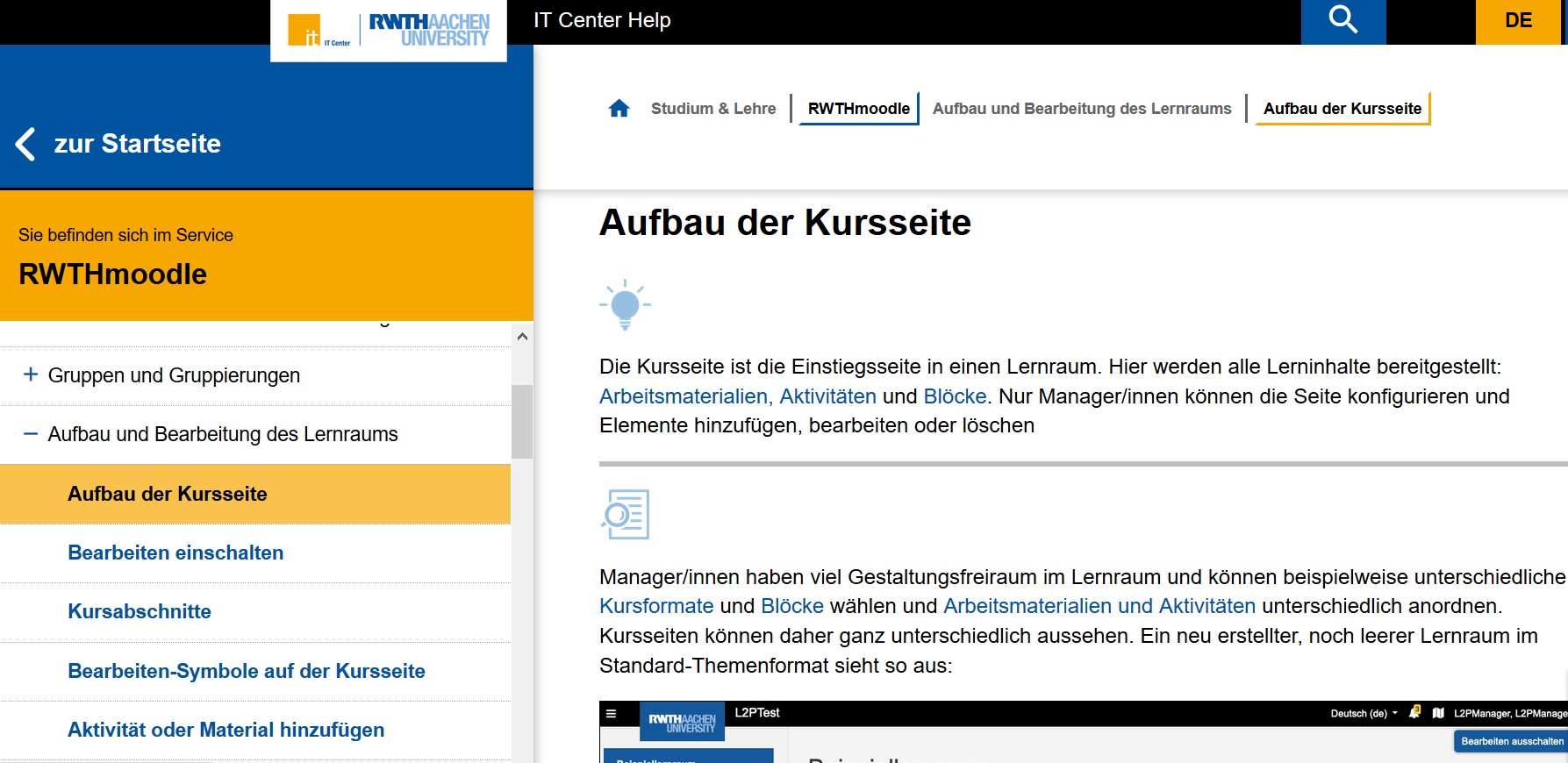
RWTHmoodle im IT Center Help!
Quelle: Eigene Darstellung
Für diese und für viele weitere Fragen rund um RWTHmoodle haben wir seit dem Start der Lehr- und Lernplattform im Sommersemester 2019 eine umfangreiche Dokumentation aufgebaut. Hier konnten unsere Nutzerinnen und Nutzer viele Antworten finden und mithilfe von Klickanleitungen Aktivitäten im RWTHmoodle-Lernraum selber anlegen und ausprobieren.
MoodleMoot Global geht online
Wie viele andere Events, stand auch die MoodleMoot Global dieses Jahr ganz im Zeichen der COVID-19-Pandemie. Die eigentlich als vor-Ort-Veranstaltung in Barcelona geplante Konferenz fand daher – zum ersten Mal – komplett online statt und bot somit der weltweiten Moodle Community, trotz Abstandsregeln, Reiseverboten und weiteren Beschränkungen sich untereinander auszutauschen. So fanden sich die Mitglieder der Community vom 06. bis 10. Juli auf einer eigens dafür angelegten Moodle Instanz zusammen. Mit unter den über 1.000 Teilnehmenden aus über 120 Ländern auch Vertreter des IT Centers sowie der Abteilung Lernplattformmanagement des Centers für Lehr- und Lernservices der RWTH Aachen.

Über 1.000 Teilnehmenden aus über 120 Ländern nahmen an der dieshährigen MoodleMoot Global teil!
Quelle: Eigene Darstellung
Freie Software für freie Lehre! – Gemeinsame Erklärung der deutschen, communitygestützten Open-Source-Bildungsplattformen
Der letzte Semesterstart stand ganz unter dem Zeichen der Umstellung auf digitale Lehre. Doch wie gelingt eine solch drastische Veränderung? Die Umstellung sollte sowohl für erfahrene als auch für unerfahrene Nutzende von digitalen Angeboten möglichst nahtlos sein. Die angebotenen Lösungen sollten sowohl flexibel als auch einfach zugänglich sein. Und genau hier kommen Open-Source-Systeme ins Spiel.

Eine Software gemeinsam je nach Bedarf weiterentwickeln? Kein Problem mit Open-Source-Softwares!
Quelle: Unsplash
Annahmestelle für DFN-Zertifikatsanträge ist weiterhin geöffnet!
Seit dem 14. Mai 2020 ist die Annahmestelle für DFN-Zertifikatsanträge geöffnet. Hier könnt ihr persönlich vorbeikommen und schnell und unkompliziert eure Zertifikatsanträge abgeben – egal, ob Nutzer-, Gruppen- oder Serverzertifikat. Die Annahmestelle findet ihr am IT Center Standort Seffenter Weg 23, am oberen Eingang.
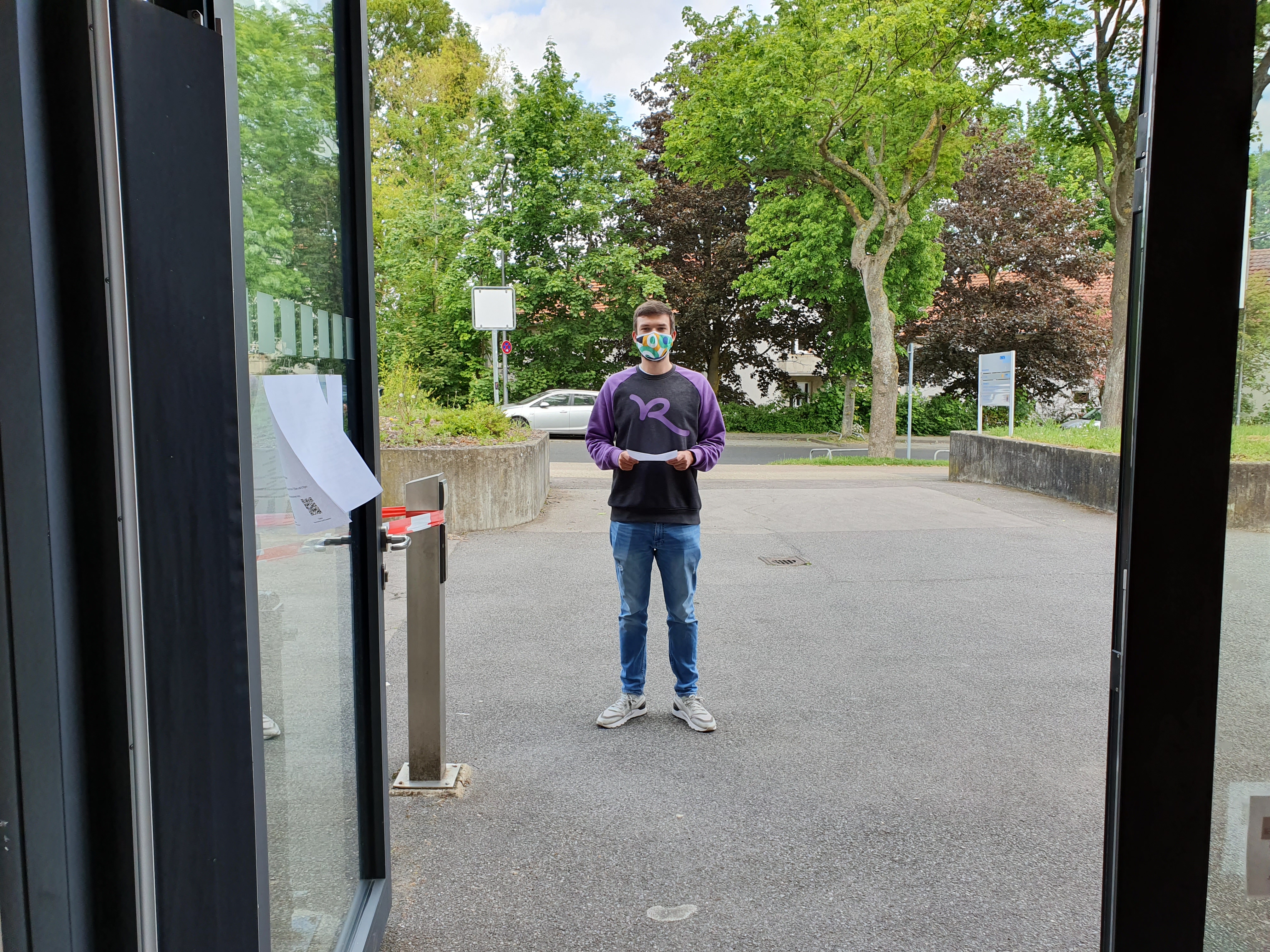
Antrag ausgedruckt, Termin gebucht, Hygieneregeln beachtet? Dann kann es losgehen!
Quelle: Eigene Darstellung
RWTH Aachen schließt Rahmenvertrag zur Ermöglichung von Microsoft Azure Services ab
In unserem heutigen Blogbeitrag berichten wir über den neu abgeschlossenen GÉANT Rahmenvertrag, der die Nutzung von Microsoft Azure-Services ermöglicht. MS Azure ist eine Cloud-Plattform zur Nutzung von Infrastructure as a Service (IaaS)- sowie Platform as a Service (PaaS)-Diensten, die langfristig das Serviceangebot an der RWTH erweitern sollen.
Mit Hilfe von Azure sollen Szenarien abgebildet werden, die z.B. lokal an einem Rechenzentrum wie dem IT Center –also on premise – , nicht möglich oder nicht wirtschaftlich sind.
Dabei geht es bspw. um Komponenten, die ausschließlich in der Cloud verfügbar sind oder auch die Abbildung von Testszenarien oder Unterstützung von Ressourcen für zeitlich begrenzte Projektzeiträume. Mit Microsoft Azure ist es somit möglich auf virtuelle Lösungen zurückzugreifen, ohne dafür dedizierte Hardware anzuschaffen für den Einsatz on premise.
Kooperationsvertrag zwischen Microsoft und der RWTH
Quelle: Unsplash
Remote Lehren und Lernen – Digitale Lehre im Online-Semester

Das IT Center und das CLS kooperieren fleißig in Sachen digitaler Lehre. Gerade im Online-Semester 2020 ist diese Zusammenarbeit besonders wichtig.
Quelle: Pixabay
Dass die Digitalisierung der Lehre wichtig ist, wissen wir schon lange. Durch das nun ausgerufene Online-Semester wurde die Bedeutung des Themas schlagartig auf eine ganz andere Ebene gehoben. An der Hochschule sind neue Zuständigkeiten und Prozesse entstanden, die auch das IT Center und das Center für Lehr- und Lernservices (CLS) vor neue Herausforderungen stellen.
Innerhalb kürzester Zeit musste die RWTH unter Federführung des CLS die Software ZOOM für den digitalen Lehrbetrieb an der RWTH beschaffen, den Lehrstühlen die Software CAMTASIA bereitstellen und den Dozierenden tatkräftig bei der Aufnahme und Bereitstellung der Vorlesungsvideos helfen. Zwar hat das CLS in der Vergangenheit bereits die Lehrenden unterstützt – aber die neuen Aufgaben haben das Angebotsspektrum des CLS nochmals erweitert. Das CLS ist bei diesen neuen Herausforderungen natürlich nicht alleine: Das IT Center wirkt tatkräftig mit und kooperiert mit dem CLS in einer Reihe von Projekten.
Unsere Services & das HomeOffice – RWTHmoodle 1×1

E-Learning 2020 ist mit RWTHmoodle an der RWTH Aachen University ganz einfach auch von zu Hause aus möglich.
Quelle: Unsplash
Im heutigen Beitrag der Mini-Serie „Unsere Services & das HomeOffice“ geht es um die Nutzung von RWTHmoodle und den hierin enthaltenen digitalen Lernräumen.
Lernräume & Teilnehmende
Um einen digitalen Lernraum für seine Lehrveranstaltung zu beantragen, kann man sich ganz einfach an die „LV-Koordination“ seines Lehrstuhls oder Instituts richten. Diese Person kann den gewünschten Lernraum beantragen. Vortragende der entsprechenden Lehrveranstaltungen werden automatisch als „Manager/-in“ autorisiert, sofern eine TIM-CAMPUS-Kopplung besteht.
Sprache:
Folgt uns