

Source: Own Illustration
You can now choose in IdM Selfservice which e-mail address is shared with connected services via your Single Sign-On account. In addition to the contact e-mail address used previously, you can also select, for example, your personal or work RWTH e-mail address.
Previously, the contact e-mail address stored in Identity Management was automatically used as the Single Sign-On e-mail address. This contact e-mail address was set by the user during registration in Identity Management and could be either a private e-mail address or an RWTH e-mail address.
With the new feature, you can now manage this setting and decide for yourself which e-mail address is transmitted to services when you log in using RWTH Single Sign-On.
No Explicit Action Required
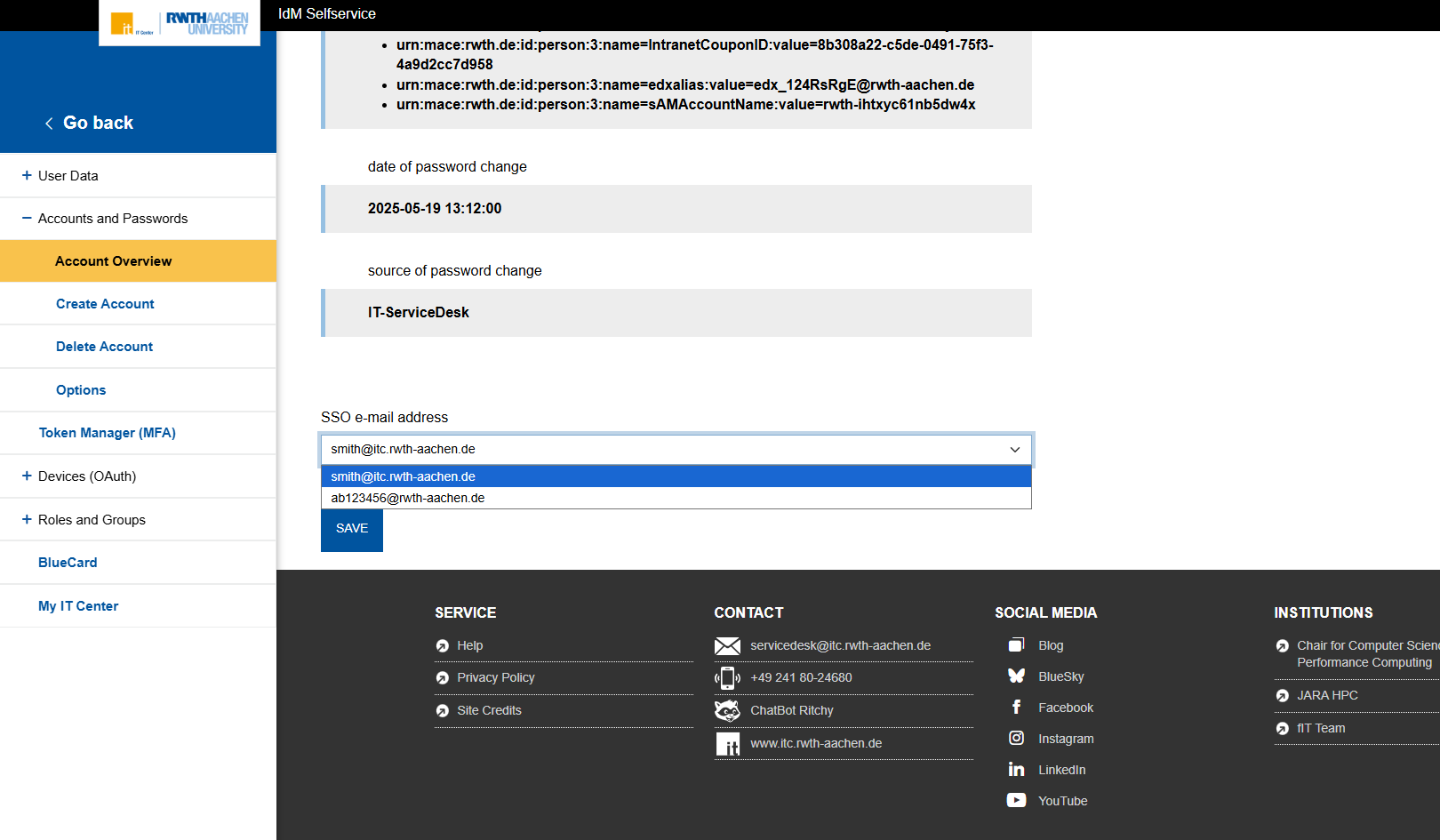
You can easily change the desired e-mail address at any time in the IdM Self-Service under “Account Overview.” To do so, use the dropdown menu under the “Single Sign-On” tab to select the desired e-mail address.
No explicit action is required: If you do not make any changes, your current configuration will remain unchanged and all login processes will function as usual.
Source: Own Illustration
Why Is This Useful?
You can enter different email addresses for the Single Sign-On (SSO) email address and the contact email address. We recommend using an RWTH email address for SSO, as some services require that you belong to the RWTH domain. In contrast, it makes sense to provide a private email address as your contact email address so that you can still reset your password in the event of an outage of the RWTH mail servers.
You can now specifically configure your e-mail addresses in Self-Service to suit your individual needs – the decision is entirely up to you.
For more information and step-by-step instructions, visit IT Center Help. If you have any questions or encounter any issues, the IT-ServiceDesk is available to assist you as usual.
Responsible for the content of this article is Merrit Mielke.









Leave a Reply