

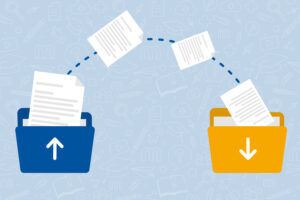
Source: own illustration
Twice a year, learning spaces are deleted from RWTHmoodle. During this process, all learning spaces older than three years are deleted. We will notify you of the deletion well in advance via email and a banner on RWTHmoodle. This November, it’s the turn of the learning spaces from the 2023/24 winter semester. When learning spaces are deleted, all content is also deleted. To save yourself trouble and time, you should back up all important learning materials beforehand. Find out about the data backup options available to students and instructors in this blog post.
Data Backup for Students
The easiest way to back up data from RWTHmoodle learning spaces is through the Download Center. There, you can download files individually or in bundles. When backing up via the Download Center, a ZIP file is always created, regardless of how many files are downloaded.
Files can also be downloaded individually outside of the Download Center.
Learning space managers can remove materials even before the learning space is permanently deleted. We recommend backing up all necessary files as early as possible.
Course Backup for Managers
Backing up materials isn’t just important for students. Instructors also frequently rely on materials from past semesters.
For instructors and learning space managers, the Course Backup feature allows them to back up entire learning spaces and restore them for future semesters. This process not only saves all the content of a learning space but also preserves its structure. Videos and personal data are excluded from the course backup.
Backing Up Opencast Videos
Opencast videos can only be downloaded if learning space managers explicitly allow it. By default, video downloads are disabled. Learning space managers can enable video downloads for students. However, downloads are not initiated through the Download Center but via a link provided below the video.
Responsible for the content of this article are Hedda Faber and Verena Grouls.








Leave a Reply